This page explains how to set a favorite tab in Imagine Learning Virtual Portal (ILVP, formerly SIS), allowing the educator to move easily to the function that they use most often.
- Click Settings.

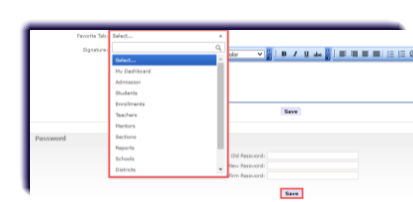
- Click the Favorite tab in the User Information section and select the tab to be the favorite from the drop-down list, then click Save.
- From any screen in ILVP, click the favorite icon next to the user name.

Note
The tab that was set as the favorite is displayed.